How do I subscribe to traffic alerts on tcl.fr?
🔔 Subscribe to traffic alerts to receive real-time information about your favorite lines by SMS, email and/or mobile notificationvia the TCL app.
To receive alerts, you must have a MonTCL account.
How to activate your traffic alerts, step by step
1. Go to tcl.fr then "Log me in"

2. Enter your login and password. If you don't have an account, create one.

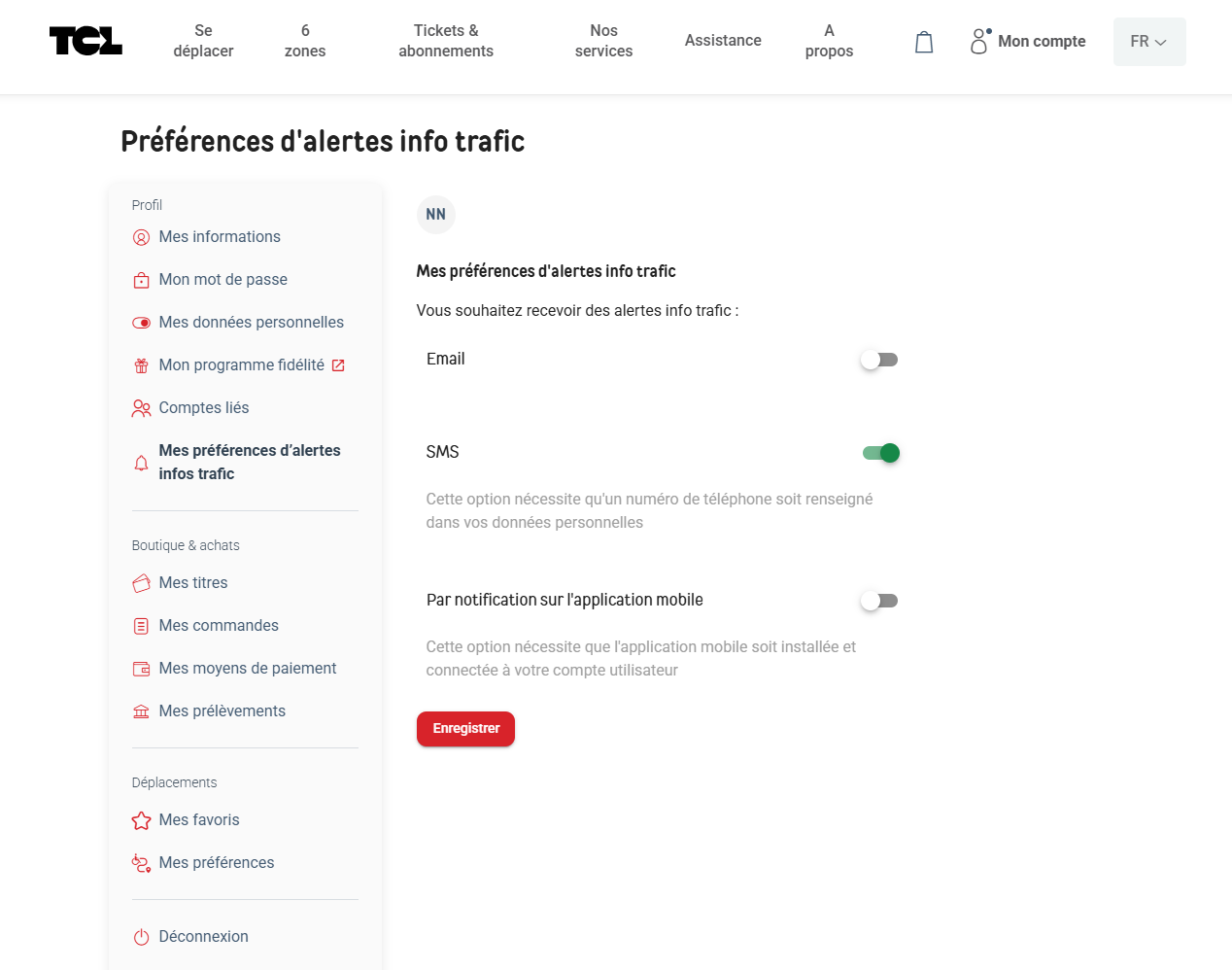
3. Select "My traffic info alert preferences". Activate the alerts of your choice: email, sms and/or mobile notification then save. You can change your preferences at any time from your account.
4. Select the lines for which you wish to receive alerts (metro, streetcar, bus...) by going to the "Mes favoris" section in Déplacements.
These alerts inform you in real time of disruptions on your usual lines.

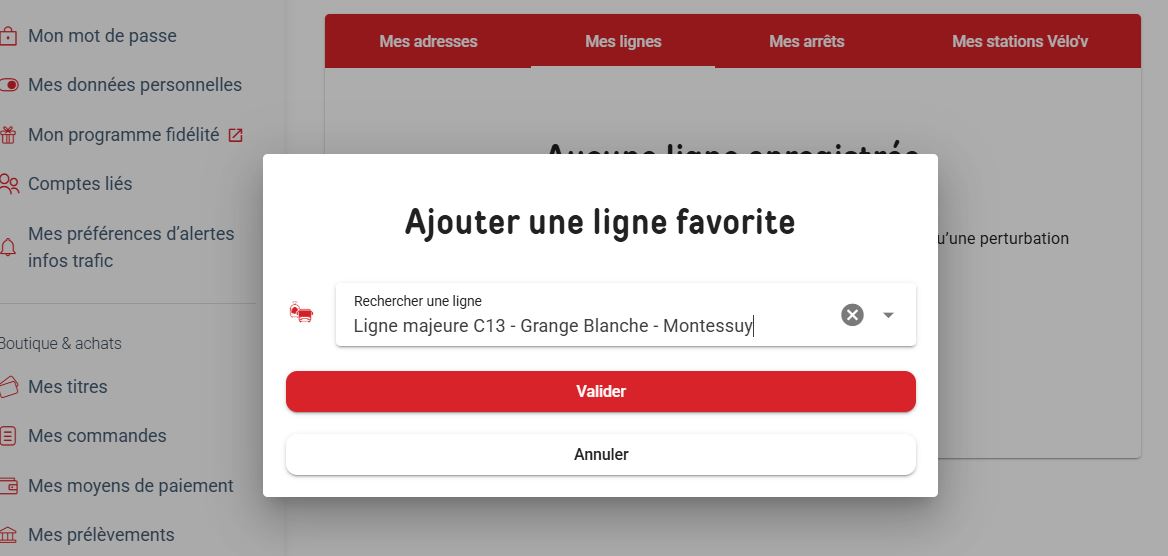
5. Select"My lines" then "Add a favorite line"

6. Fetch your line then select "Validate".
7. Select when you'd like to receive your alerts

7. The line is now saved. You'll receive alerts according to the preferences you've chosen.

Not receiving alerts? Check your unwanted mail (spam) and/or make sure your phone number is correctly entered in your MonTCL account.
💡 You can also set your preferences directly via the TCL mobile app.