How do I subscribe to traffic alerts with the TCL app?
🔔 Thanks to the TCL app, you can subscribe to traffic alerts to be kept informed of real-time traffic info for your favorite lines.
- If you don't have a MonTCL account, you'll receive the notifications directly in the app.
- If you are connected to your MonTCL account, you can choose your reception mode: notifications, SMS and/or e-mails.
How to activate your traffic alerts, step by step
<1- In the TCL application, click on the "Timetable"
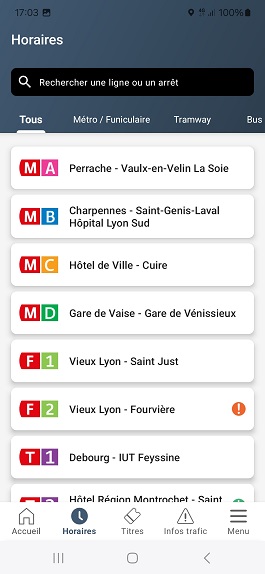
2- Search for your line number
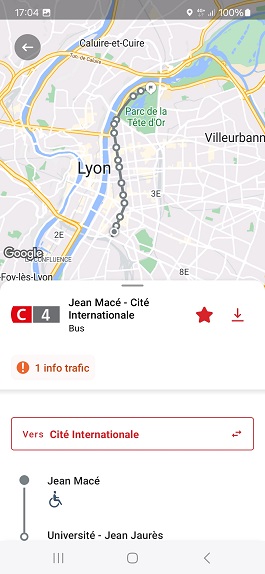
3- Select the line
4-. Click on the star icon at top right to add it to your favorites
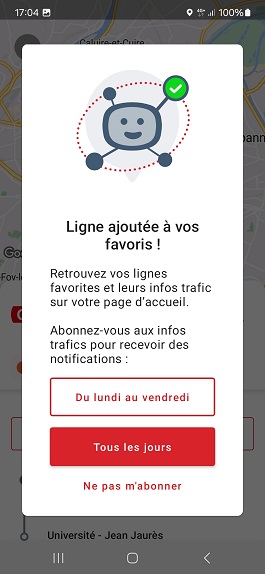
5- Choose the days for which you would like to receive alerts.
💡In the "Menu" section, you can manage your traffic info alert preferences. You need to be logged in to a MonTCL account to access this. You will be able to activate the alerts of your choice: email, sms and/or mobile notification. You can change your preferences at any time from your account.
Was this article helpful to you?